
Jenkins job’s build name would be named with the numeric number by default in increment manner. After configuring the Jenkins job, the first build job would be named as “1”, the second job would be named as “2” and so on. Most of the cases, no one prefers to change the default build naming algorithm. […]
Automation
Jenkins Console – Xterm Terminal – Colorized Ansible playbook Output
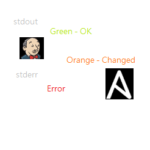
This artcile will walk through the installing and configuring Ansicolor plugin in Jenkins to make colorized output in ansible playbook stdout. Jenkins console is very plain and simple. If you are using Jenkins to run the ansible playbook, you might notice that colorful output might be missing. Ansible Tower/AWX offers the colorful stdout in the […]
Ansible – Configure Windows servers as Ansible Client – winrm
Ansible is not just for Linux. It can also be used for Windows servers automation. This article will explain how to prepare windows servers for Ansible automation. Ansible uses WinRM protocol to establish a connection with Windows hosts. (i.e Linux/Unix like hosts uses SSH protocol). Ansible requires PowerShell 3.0 or newer and at least .NET […]
Jenkins – Passing Extra variables for Ansible Playbook

Ansible Playbooks are often written with many extra variables to pass the human inputs. In Ansible Tower /AWX, “SURVEY” feature is used to pass the extra variable to the playbook. If you are using Jenkins as your front-end graphical interface, you might be wondering how to pass the ansible extra variable. This article will walk […]
Ansible Engine – Run Playbook using Jenkins – GUI

Can’t afford Ansible Tower? Worried about AWX stability (Open Source Ansible Tower’s upstream Project )? Jenkins is more than enough to run the Ansible playbook from GUI. Ansible Tower’s main selling point is RBAC (Role based access control), credentials encryption and REST API. When you use Jenkins, it has plenty of plugins to offer role-based […]
Backup/Restore – Ansible AWX – tower-cli
How to Backup Ansible AWX? Ansible Tower comes along with “setup.sh“ to backup the database. If you are using the AWX (Ansible Tower’s upstream project), you could leverage tower-cli to take the object backups in the JSON format. You could also try this for Ansible Tower if the number of hosts are less than 100. […]
Packer Automation – Build Redhat/CentOS VM on VMware vSphere
In this article, we will be walking through the building of Redhat Enterprise Linux 7/CentOS 7 VM using ISO on VMware vSphere environment. Packer is very useful to build your base images on the cloud and on-premise. Packer is an opensource tool and developed by HashiCorp. HashiCorp owns very famous tools like Vagrant, Consul, and […]
Ansible Tower / AWX – Installing & Configuring Tower-cli
Tower-CLI (tower-cli) is a command line tool for managing Ansible Tower/AWX. It allows Tower commands to be easily run from the Unix/Linux command line. This command line tool sends commands to the Tower RESTful API. It is capable of retrieving, creating, modifying, and deleting most resources within the Tower. It also used for creating objects […]
How to Install and Configure Jenkins on Redhat/ CentOS 7?

Installing and configuring Jenkins on Redhat Linux / CentOS is very straight forward. Jenkins is a very famous tool among developers. Jenkins is an open source automation platform written in Java. The creator of Jenkins is Kohsuke Kawaguchi and it has been developed when he was working at Sun Microsystems. Jenkins supports most of the […]
Ansible Tower / AWX – Trigger Ansible Job using REST API

Ansible AWX / Ansible Tower supports RESTfull API calls. It provides greater flexibility that you no need to be in Ansible Tower/AWX console to start the template or read the ansible job results. You could post the API from anywhere. It could be a web portal or from your laptop using POSTMAN/SoapUI. This article will […]