This article explains about adding the ISCSI target on Solaris node.Once you installed the openfiler,you have to provision LUN to specific target in order to access LUNS in operating system.Once its done,then we just need to add those targets in OS to see those disks.Here we will see, how to add the iscsi target in Solaris in details manner. Assumption:Here i have already provision […]
Oracle Solaris
Solaris 10 installation on vmware workstation
In this post we will see how to install Solaris 10 OS with ZFS root filesystem using the DVD.I will be installing Solaris 10 X86 on a vmware workstation .Create a virtual machine like the one we have configured here.Power on the virtual machine.It will boot from Solaris DVD. Your installation begin here. Select 4 for ZFS root filesystem. Select […]
How to change the Solaris host name on fly
All the hosts which are in same network should have unique hostname.In this post,we will see that how to change the hostname of the Solaris machine. To change the hostname on fly . (Applicable for Global & local zone)(Not recommend while running applications) bash-3.00# hostname node2 To make this change persistent you have to modify the below mentioned three files. Cause:Don’t rename […]
How to install vmware tools on Solaris guest OS
VMware tools are required to share the directory from base operating system to guest operating system.It also provide the option to drag files from base OS to guest OS to copy the files. The another important feature is cursor release on the guest operating system. You no need to press cntrl+alt to release the cursor from guest OS. […]
How to create sparse root zone in Solaris
Solaris 10 offers many virtualization technologies and zones are one among them.Here we are going to see about sparse root zone.Sparse root zone shares as a read-only file system from the global zone of the /usr, /lib, /sbin and /platform directories.So compare to whole to root zone ,it will consume very less disk space.But you can’t […]
How to create new CPU resource pool in Solaris
Solaris 10 has many resource control model. Here we are going to see how to create new processor pool and how to associate processor set to it.Resource pools enable you to separate workloads so that workload consumption of certain resources does not overlap.For an example, specific user process or specific application process are consuming high CPU usage […]
How to configure password less authentication using ssh
Password less authentication may required in various setup and we need to configure password less authentication for root user in cluster setup in order to install cluster software on both the machine simultaneously. Here we will see how to configure password less authentication using ssh on Solaris nodes. Login to node1.Create a new ssh keygen .Here i have used RSA keygen. If you […]
Performance issues -Network
Network Statisticsnetstat displays the contents of various network-related data structures in depending on the options selected.This command is very useful during the network troubleshooting. In Solaris we can monitor the packets using snoop command.There are other third party tools like sniffer can used for deep level troubleshooting. Syntax:netstat <option/s>multiple options can be given at one time.Options-a – […]
Live upgrade patch installation before OS patching
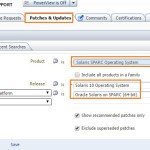
If you want to use Liveupgrade feature on oracle Solaris 10, Oracle recommends to patch the Liveupgrade packages to the latest version since lot of bugs with old patch versions. For me Liveupgrade patch (121431-54) gave lot of trouble after booting from alternative boot environment. I have used the patch version 121431-74 which worked like charm.The logs below will show you that how […]
cfg2html on Solaris – OS configuration Backup
cfg2html is very use full script to take all the system configuration backup in text format and html format.This script is available for Solaris,various Linux flavors and HP-Unix. For more information about the script,please visit http://groups.yahoo.com/group/cfg2html. Once you run the script by default it will generate three files. 1. System configuration in text format 2. System configuration in […]