Oracle took a brave decision by making ZFS as default root filesystem in Solaris 11 onwards. So ZFS knowledge is must for all of the Solaris administrator who is going to work on Solaris 11.I have worked on many volume manages like SVM(Solaris volume manager),VXVM (veritas volume manager) and LVM (Logical volume manager) but ZFS is one-step ahead compare to other volume […]
How to setup VMware ESXi 5.1 environment on VMware workstation
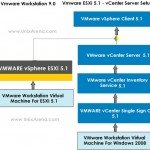
VMware ESXi and clouds are trending topics in infrastructure industry now. So most of the windows or Unix administrator would like to learn VMware ESXi .Your current organization will not give any Vmware training unless there is a business requirements for them. You can go for an external vmware training but it too costly and […]
How to add VMWARE ESXi 5.1 host to vCenter Server ?
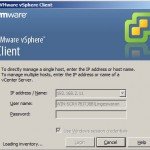
Once you have installed the VMware ESXi 5.1 server, you need to add the server to existing VMware vCenter server to manage it .You can not use the VMware ESXi 5.1 host without adding to vCenter server.Once you have added the ESXi host to vCenter server, you can start creating a virtual machines using the […]
VMware vSphere Client 5.1 Installation Step by Step Guide
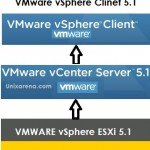
VMware vCenter server doesn’t come up with any console utility to manage it. Offcourse it has web console but VMware vSphere Client 5.1 provides wonderful interface to manage the complete vSphere environment. You can also install VMware vSphere client on any remote systems from where you want to connect the vCenter Server to manage the […]
VMware vCenter Inventory Service Installation Step by Step Guide
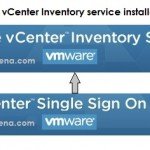
Vmware vCenter Inventory service is one of the prerequisites for vCenter server installation.It stores vCenter server inventory data and server application data.It also allows you to search the inventory objects across linked vCenter server instances. To install Inventory service,you required Vmware vCenter single sign on (SSO).After installing SSO on the server,you can start the inventory service installation. […]
VMware vCenter 5.1 SSO Installation Step by Step Guide
This article is part of VMware vCenter Server 5.1 installation series.The vCenter Single Sign On authentication service make the environment more secure and it allows various vSphere components communicates using secure token exchange mechanism to tighten the security.If you are installing vCenter server on your environment for first time, then you must install Vmware vCenter 5.1 SSO (Single Sign On). […]
VMware vCenter 5.1 Server Installation Step by Step Guide
Last week we have seen VMWARE ESXi 5.1 installation.After reading that article, VMWARE ESXi beginners wonders that what will be next step after installation of ESXi and how to manage it ? To manage vmware ESXi 5.1, you need to connect to VMware vCenter server. Here we will see the installation of vCenter server with […]
Solaris11-How to Manage Boot Environments ?
Managing boot environments in Solaris11 is almost same as Solaris 10’s Live upgrade.In Solaris 10,we will use lu commands like lucreate,luactivate,lumount ,luumount and lustatus. But in Solaris 11, all the tasks will be carried out using beadm command.Here we will perform simple operations to understand beadm in Solaris11. First thing is to create a new […]
Solaris 11 – How to Clone the local zone ?
Solaris 11 local zone installation article already available in Unixarena. But here we are going to see how to create a local zone much faster than that and how to clone the local zones in seconds.The cloning mechanism utilizes the ZFS deduplication facility and it creates local zones with size few MB’s if we create the local zones on same zpool. The cloning […]
How to Create a Virtual switch on Solaris11 ? How to Use it ?
Oracle Solaris 11 introduces a one of the new network virtualization component is called Virtual switch.There are two type of virtual-switches are available in Solaris 11. First type is, when you create a first VNIC on the system,it will automatically creates a virtual switch in the background for external network communications.The second type of virtual switch can be created by using “etherstub” command for […]