
This article will help you to setup High Availability NFS server using Pacemaker on Redhat Enterprise Linux 7. From the scratch ,we will build the pacemaker blocks which includes package installation , configuring the HA resources, fencing etc. NFS shares are used for setting up the home directories and sharing the same content across multiple […]
Pandora FMS – Opensource Enterprise Monitoring System
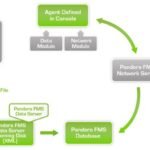
Pandora Flexible Monitoring System – Pandora FMS is designed to adapt to every role and to every organization. Its main aim is to be flexible enough to manage and control the complete infrastructure, without further need to invest more time or money into another monitoring tool. FMS is not just for next generation monitoring system. […]
Post Deployment – NAKIVO Backup & Replication V6 for VMware – Part 2
This article will explain more about the post deployment of NAKIVO Backup & Replication V6 for VMware. During the post deployment , you can configure the hostname , Backup Storage, Timezone. NAKIVO console also provides as option to update the NAKIVO software and monitor the system performance. Once you have done the basic settings like hostname, backup […]
Deploying NAKIVO Backup & Replication V6 for VMware – Part 1

This article is going to demonstrate the deployment of NAKIVO Backup & Replication V6. Nakivo is very easy to deploy, doesn’t need any separate Windows management server since it can run purely as a pre-built virtual appliance. NAKIVO Backup & Replication provides image-based VMware VM backup. For each VM backup, you can save up to 1,000 recovery […]
NAKIVO Backup & Replication for Amazon EC2 – Overview

NAKIVO Backup & Replication v6 has been released with the capability of supporting native backup and replication of AWS EC2 instances. NAKIVO Backup & Replication v5 supports only VMware vSPhere. There are a lot happy customers who benefited using NAKIVO Backup & Replication v5 including companies like elogic , afrihost and systemc. Nakivo impressed most of the […]
Let’s Start exploring the Docker – Container World

Virtualization industry is bringing up many interesting and yet useful products in the market to reduce the IT cost. VMware revolution demonstrated that how to utilize the hardware effectively using hypervisor and other sibling products. Similarly openstack development also going on aggressive pace to reduce the virtualization product cost by utilizing opensource technologies. Docker was no […]
How to Migrate the servers to Public cloud ? Cloudscraper
There are many companies are benefited using the cloud and cloud related services. small and mid-size companies are prefer to use the pubic cloud services from Amazon web services and Microsoft Azure to reduce the operating and ownership cost. If anyone like to migrate the existing server to the public cloud, they need do lot […]
Deploying Openstack on Redhat – Packstack Method (Mitaka)
This article will help you to setup Openstack private cloud on Redhat Enterprise Linux. In this method , I will demonstrate that how to setup openstack environment using packstack. There are many companies are evaluating openstack on their test environments and some people are trying make a proof of concept. Openstack is not just a […]
Find Last Patched date on Oracle Solaris

Sometimes, we might need to find the last patched date on Solaris server for PCI compliance requirement. Many organizations are started using the configuration management tools to capture last patched date or maintenance date. But in a legacy environment, we might need to do the reverse engineering to identify last patched date for the server. Let’s […]
Download All the version of vSphere client – Free Download
Here is the direct links to download free VMware vSphere client for all the versions of vSphere. You might need to use different versions of vSphere client depends on your vSphere environment. Click the required links to download vSphere clients directly without any logins for free. VMware vSphere 6.5 onwards, HTML5 Web-based portal is default […]