
“Create and associate service profile to UCS blade” task is quite lengthy and time consuming work. That’s the reason why we have option for service profile templates . In the last article, we have seen the step by step procedure to create the service profile templates. Once the template is ready , it just matter of few […]
How to Create Service Profile Template on Cisco UCS ?

Service profile concept has been extracted from virtual machine and applying it for physical servers in UCS. When you configure VM , you need to specify LAN and SAN access, I/O configurations, firmware versions (Hardware version), boot order, network VLAN and physical port. Cisco Unified computing is going to allow the exactly same characteristics of VM […]
Cisco UCS – How to Create Boot & BIOS Policies ?

In Cisco UCS B-Series servers , you can configure multiple BIOS polices for same blade. But in the real world , we are not going to use the multiple BIOS policy for same blade. If you didn’t configure any BIOS policy , Blades will automatically take the default BIOS policy and it boots. If the configuration change […]
Cisco UCS – Creating vNIC & vHBA Templates

We need to define that how the vNIC will be get connected to the LAN. UCS manager will not create a VM-FEX port profile with the right settings automatically when you create a vNIC template. System must have MAC pool to create the vNIC template. Server pools must have two vNIC templates. One is going out the Fabric […]
Cisco UCS – Network Control policy and vLAN’s – vSAN’s

Cisco Discovery Protocol (CDP) is used to obtain protocol addresses of neighbouring devices and discover the platform of those devices. This protocol runs on all the Cisco manufactured devices like UCS blades, routers , switches etc. Once you have enabled the CDP protocols on the Cisco UCS , it sends the periodic messages, known as advertisements, to […]
Cisco UCS – How to Configure WWN Pools ?

In Cisco UCS domain , we need to create WWNN (World wide Node names) and WWPN (World Wide Port Names) manually to use the Fibre Channel vHBAs . World Wide Node Name is assigned to the blades and World Wide Port Name is assigned to vHBA (Virtual Host Bus adaptor). According to the cisco notes, A […]
Cisco UCS manager – How to Create the MAC POOL ?
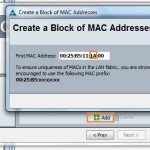
Cisco UCS blades are not encoded with MAC address. So we need to create the MAC addresses, that are unique in their Layer 2 environment and are available to be assigned to vNICs on a server. To assign a MAC address to a blade , you have to include the MAC pool in a vNIC policy. The […]
UCS Manager – Create Sub-Organization – Server Pools – UUID Suffix
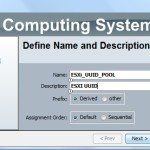
Cisoc UCS’s Multi-tenancy method allows you to divide up the large physical infrastructure of an instance into logical entities known as organizations.So that you can isolate between the organizations logically without having the dedicated infra for each environment. Creating a sub-organization is optional, for granularity and organizational purposes and are meant to contain servers/pools/policies of different functions. […]
How to Configure KVM IP Pool in Cisco UCS Manager ?
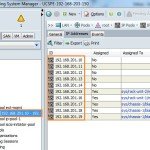
The KVM console is a video over IP representation of the blade server. This facility is required to build and manage the servers from remotely. In an order to access each blades remotely , a pool of IP addresses is assigned as a management interface into the server blades. These IP addresses need to be externally […]
Configuring the Fabric interconnect ports – FC vs Ethernet
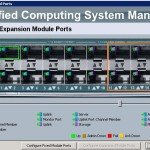
In Cisco 6100 series Fabric interconnect , the fixed module ports can be used only for server ports and Ethernet uplinks ports. In other-words , Ports are not unified in this series. But we can add expansion modules to increase the number of uplink ports on the fabric interconnect or to add uplink Fibre Channel ports to the […]