Due to NPAPI (Netscape Plugin Application Programming Interface) deprecation on all the modern browsers , VMware need to find the alternate solution to use the vSphere Web-client for launching the VM console, upload & download the files from datastore and use of windows authentication on the browser(To use windows login in browser). According to the Google announcement, […]
Unable to upload files using vSphere Web client

I have been scratching my head from yesterday to upload the ISO files to VMware vSphere ESXi datastore using vSphere web-client 5.x/6.x(it worked earlier and suddenly stopped working). The web-client shows that , we need to install “vSphere client integration plugin” to upload the files, launch VM console and deploy the OVA. But in Laptop […]
Vblock – converged infrastructure solutions
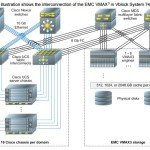
What is Converged infrastructure systems ? It is nothing but merging all the infrastructure in to one box. Converged infrastructure systems normally comes as bundle, with servers, storage, network switches and required software to manage infrastructure, orchestration and automation. These are well tested machines and works great with . Converged infrastructure systems are slowly getting to the market to […]
How to convert controller disk naming to SSD on Solaris ?

Have you ever been analysed the SAR(System activity reporter) reports on Solaris server for the disk performance issues ? If you would have done that , you might noticed that all the disks & LUN’s will be shown as “ssdXXX” names instead of cXtXdXs2. If you run “iostat” command without “n” option, you can see that […]
How to Rebuild Hardware RAID from OS level ?
How to rebuild the hardware RAID from the operating system ? Is it possible ? Yes . Using the MegaCLI or LSIutil , we can re-build the hardware RAID for Non-OS disks from the OS. In my case , We have lost the one of the HDD which was part of RAID 0 . It contains […]
How to Deploy VMware VCSA 6.0 on ESXi Directly ?

Prior to the VMware vSphere 6.0 , You will be directly getting the vCenter Appliance’s OVA file from VMware. Using OVA file, you can directly import as a VM in the vCenter server or ESXi host using vSphere client. It can also be done by using the “Deploy the OVF template” option by right clicking on the […]
How to deploy VCSA 6.0 on VMware workstation ?

VMware VCSA (vCenter Server Appliance) 6.0 has eliminated the previous releases limitations and issues. Now VCSA 6.0 is able to provide the all the features what the Windows vCenter servers is providing currently. In other words , there is no difference between Windows vCenter and VCSA. So it s up to the customer to choose […]
How to Configure the networking on VMware ESXi 6.0 ?

Once you have installed the VMware ESXi 6.0 using the interactive installer , You need to configure the network and set the hostname. By default, it takes the IP from DHCP and it sets the hostname as “localhost”. In this article ,we will see the post installation of VMware ESXi 6.0. In the Enterprise setup, […]
How to install VMware vSphere 6.0 ESXi

In this article , we will see the installation of vSphere 6.0 VMware ESXi . There are multiple ways to install the ESXi. If you are planning to install less than 10 ESXi hosts, you can prefer the typical interactive installation method. In this method, we need to boot the physical X86 server using the […]
VMware vSphere 6.0 vs vSphere 5.x – Difference

In March 2015, VMware has released the much-awaited VMware vSphere 6.0 . Is it completely different from the previous VMware releases vSphere 5.5 and vSphere 5.1 ? No. The most of the features are remains same but there are lot of enhancement made on the existing features. For an example, VMware has brought lot improvements on the VM […]