VMware vCenter Server 6.7.0 released on April 2018 and this is going to be the last release for windows based vCenter. vCenter Server Appliance is the default deployment in vCenter Server 6.7 onwards. In this release , there are a lot of new enhancements in vCenter appliance and monitoring options have been improved. The vSphere Client […]
VMware vSphere
VMware vSphere 6.5 Upgrade – Path Finder
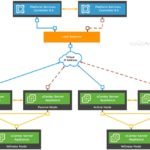
VMware vSphere 6.5 has released last year but still many of the environments are running with vSphere 5.5 or vSphere 6.0. This article will try to provide more information about VMware vSphere 6.5 upgrade resources and other available utilities in the market to simplify the upgrade work plan and execution. This article also covers the […]
VMware vSphere 6.5 – Features – Quick Walk-through

VMware vSphere 6.5 – Features – Quick Walk-through. This article is intended to share some of the impressive features of VMware vSphere 6.5. VMware has worked on security areas, User interfaces , Containers and vCenter appliance on their lasted package “VMware vSphere 6.5” and it’s worth upgrading to that. You have to obtain new licenses to deploy […]
Vulnerabilities – How to Fix Meltdown and Spectre on VMware vSphere ?

VMware vSphere also affected by multiple vulnerabilities since its uses Intel/AMD platforms. VMware vSphere has multiple layers of virtualization and sadly, you should apply/update the patches for all the components which includes Operating systems, virtual machines, virtual appliances, hypervisors, server firmware, and CPU microcode. Operating system patches can reduce the risk with help of hypervisor patches without […]
CLOUD WAR – Openstack vs VMware vSphere vs Amazon AWS

Cloud War or Data-center war ? There is a healthy competition out in the market to reduce the overall operating cost on IT. Companies are benefited with the cloud revolution, Virtualization and automation. Most of the organisations are moving towards asset free to reduce their additional investments on IT equipment. But all the organizations can’t just […]
Download All the version of vSphere client – Free Download
Here is the direct links to download free VMware vSphere client for all the versions of vSphere. You might need to use different versions of vSphere client depends on your vSphere environment. Click the required links to download vSphere clients directly without any logins for free. VMware vSphere 6.5 onwards, HTML5 Web-based portal is default […]
What’s New – VMware Integrated Openstack 2.0
The VMware’s global conference for virtualization and cloud computing “VMworld 2015” is completed in San Francisco today. In that conference , they have announced the most important release for “VMware integrated Openstack 2.0 (VIO 2.0)”. The first VMware integrated openstack (VIO) released in 2014. Since then VMware aggressively doing more enhancement on the Openstack part. VIO 2.0 […]
How to Map the VMware virtual Disks for Linux VM ?
Most of the VMware virtual machines are configured with few virtual disks with different size according to the project requirement. When it comes to the Linux VM , there will be a dedicated disk for the root filesystem and other disks are used for application/data. So whenever there is request for resizing the existing drive , it […]
How to Connect vBenchmark to vCenter Server ?

Once you have deployed the vBenchmark appliance , you can access the web portal using the vBenchmark IP address which is configured automatically (DHCP) while deploying it.(You can find the IP address of the appliance in the VM console). In vBenchmark webpage, you need to enter the VMware vCenter IP address/Hostname and credentials to generate the benchmark […]
How to Deploy vBenchmark on VMware vSphere ?

vBenchmark is an appliance which provides the web interface to measure the performance of your VMware virtual infrastructure. It helps to identify the efficient resource utilization on your VMware environment. It will also show you averages across your environment, such as the average configured amount of RAM/CPU per VM or GB of storage consumed. By reading your environment, it shows the […]