
Does KVM support vCPU hot-plug ? Will Linux KVM guest can recognize the newly added vCPU’s ? The answer is “YES” off-course. Like KVM memory management, you can add/remove vCPU’s to active VM using “virsh” command. But this works if you have configured the KVM guest with Maximum vCPUs parameter. So while deploying the new […]
RHEL7
Linux KVM – How to add /Remove Memory to Guest on Fly ? Part 8

If the application/DB is demanding more Memory, you need to adjust the VM’s memory limit accordingly. KVM supports dynamic memory addition when you have configured the VM’s with Maximum memory limits. There are two parts to the VM configuration. 1. Maximum Limits 2. current allocation. At any point in time, you can’t exceed the maximum […]
Launch the first KVM instance using CLI – Part 4

Provisioning new VM’s (guests) using “virt-install” binary is straight forward. virt-install can be run in interactive or non-interactive mode. This command have more options but easy to remember since those are very meaningful. This article is going to demonstrate the VM creation using virt-install tool in non-interactive mode. You can also use GUI (VMM – […]
RHEL 7.2 – Configuring KVM hosts – Part 3

KVM hosts needs to be prepared to store and provide the network access to the guest machines. In last article ,we have seen KVM package installation and VMM(virtual Machine Manager) package installation. Once you have installed the packages, you need to create the filesystem to store the virtual machines images (/var/lib/libvirt/images which is the default storage […]
How to Patch/Update RHEL 7 without internet connection ?
Linux is not a windows operating system to install the security patches and other bug fix patches for every week. At the same time , it’s not like an Unix operating system where you no need to patch it for years. You should plan to patch the Redhat Linux yearly twice to eliminate the security […]
How to configure the firewall using firewall-cmd ?
In the last article, we have opened the port (80) for http service using firewall-config graphical utility in Redhat Enterprise Linux 7. As a Unix/Linux admin , would you prefer to use “GUI” over “command line” ? I don’t think so. Most of the Unix/Linux system administrators will go with the command line. firewall-cmd is a […]
Playing with firewalld on RHEL 7
The Linux kernel includes a powerful network filtering subsystem called netfilter. The netfilter subsystem allows kernel modules to inspect every packet which are travelling to the system. Any incoming, outgoing and forwarded network packets can be inspected, modified ,dropped or rejected in a programmatic way ,before reaching to the user space. But these programs needs […]
Are you in VM or Physical host ? RHEL -7

The whole world is moving towards virtualization. Unless you maintain the inventory on CMDB , it is very difficult to find the server location and configuration. The hyper-visors like VMware vSphere, Microsoft Hyper-V, Xen and KVM supports Linux as virtual machine. If you have the proper CMDB for the virtual machine, you can easily find […]
RHEL – 7 Network Management – nmcli or nmtui
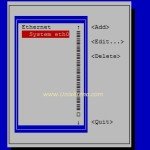
nmlci is a wonderful command to configure the network profiles on Redhat Enterprise Linux 7. nmcli also supports the command completion function by pressing “tab” key but still you need to use the quotes properly. nmtui is an alternative command for nmcli which is based on “Text User Interface”. It will be useful for RHEL-7 […]
RHEL – 7 Managing the network with Network Manager

In the last article, we have seen that how to review the current network configuration in RHEL 7. Redhat has introduced the profile based network management on Redhat Enterprise Linux 7. Network manager is a daemon that monitors and manages the network settings. Network manager can be managed using nmcli and other graphical tools. These tools will […]