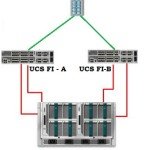
To provide the external SAN access to the UCS environment, it needs to be connected to FC SAN switches or the Storage box which supports the FCoE. Traditional infrastructure will be still using the FC SAN network as a centralized storage. If you would like to connect the UCS domain to an existing SAN network, you have to configure […]
Cisco UCS – Configuring the LAN uplinks and Port Channels
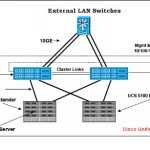
To provide to the external network connectivity to UCS environment,it needs to be connected to the external LAN switches. Fabric interconnect is highly customizable and you have to decide the each port functionality. In the previous article , we have seen that how to configure the server ports to provide the connectivity between chassis and FI. The same […]
How to discover the chassis using Cisco UCS Manager ?
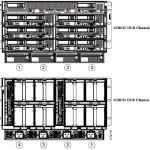
Once you have done the Cabling and Fabric Interconnect’s cluster configuration, the next step would be to configuring the polices and configure ports to perform the chassis discovery. In this article,we will see that how we can configure the equipment policies and discovery the chassis. Once the chassis is discovered , you can see the chassis components like […]
Setup the Cisco UCS environment and configure the UCS ?
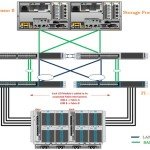
This article will provide the step by step instructions to setup the Cisco UCS environment for first time. Cisco UCS is highly customizable and the configuration will be differ for each environment. The core part of Cisco UCS deployment is cabling. Unlike the traditional chassis , Cisco UCS have additional components like I/O modules (FEX) and Fabric […]
Cisco UCS B-Series – UCS Manager Overview – Part 5
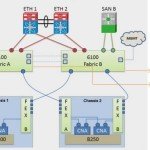
The computer industry is on the major transition due to the server consolidation and virtualization products on the market. Cisco is commonly known for networking components like switches, routers and IP phones. But in 2009 , they have entered in to the X86 server market on their own style with data centre virtualization and consolidation methods. There was […]
How to Measure the bandwidth between Linux / Solaris hosts ?

All the new servers are shipping with 10 Gbps built-in network adapters . At the same time, servers are virtualized and one physical server may hosts many virtual servers. For an example, VMware ESXi hypervisor will be directly installed on physical server and multiple VM’s will be created on top of that. So all the VM’s will share the same 10Gbps […]
Cloudstats.me – The Next-Gen Server Monitoring Platform

Cloudstats.me is the Next-Gen server/website monitoring platform which suits for Linux, windows servers and enterprise websites. I have been worked with several enterprise monitoring tools but Cloudstats stands out with it’s simplicity. You no need to spend thousands of dollors to buy the monitoring software and hire the resources to setup the monitoring services platform. Also […]
How to Generate and Measure IOPS in VMware Guest ?

Are you a system architect ? Are you planning to convert the physical servers to VM ? If yes, perform the IOPS test on the physical machines prior to migrating it to VM. If you have test virtual machine in the targeted VMware infrastructure, perform the similar IOPS test to compare the results. If the […]
How to Connect vBenchmark to vCenter Server ?

Once you have deployed the vBenchmark appliance , you can access the web portal using the vBenchmark IP address which is configured automatically (DHCP) while deploying it.(You can find the IP address of the appliance in the VM console). In vBenchmark webpage, you need to enter the VMware vCenter IP address/Hostname and credentials to generate the benchmark […]
How to Deploy vBenchmark on VMware vSphere ?

vBenchmark is an appliance which provides the web interface to measure the performance of your VMware virtual infrastructure. It helps to identify the efficient resource utilization on your VMware environment. It will also show you averages across your environment, such as the average configured amount of RAM/CPU per VM or GB of storage consumed. By reading your environment, it shows the […]