
All the new servers are shipping with 10 Gbps built-in network adapters . At the same time, servers are virtualized and one physical server may hosts many virtual servers. For an example, VMware ESXi hypervisor will be directly installed on physical server and multiple VM’s will be created on top of that. So all the VM’s will share the same 10Gbps […]
VMware
How to Connect vBenchmark to vCenter Server ?

Once you have deployed the vBenchmark appliance , you can access the web portal using the vBenchmark IP address which is configured automatically (DHCP) while deploying it.(You can find the IP address of the appliance in the VM console). In vBenchmark webpage, you need to enter the VMware vCenter IP address/Hostname and credentials to generate the benchmark […]
How to Deploy vBenchmark on VMware vSphere ?

vBenchmark is an appliance which provides the web interface to measure the performance of your VMware virtual infrastructure. It helps to identify the efficient resource utilization on your VMware environment. It will also show you averages across your environment, such as the average configured amount of RAM/CPU per VM or GB of storage consumed. By reading your environment, it shows the […]
VMRC – Standalone VMware Remote Console
Due to NPAPI (Netscape Plugin Application Programming Interface) deprecation on all the modern browsers , VMware need to find the alternate solution to use the vSphere Web-client for launching the VM console, upload & download the files from datastore and use of windows authentication on the browser(To use windows login in browser). According to the Google announcement, […]
Unable to upload files using vSphere Web client

I have been scratching my head from yesterday to upload the ISO files to VMware vSphere ESXi datastore using vSphere web-client 5.x/6.x(it worked earlier and suddenly stopped working). The web-client shows that , we need to install “vSphere client integration plugin” to upload the files, launch VM console and deploy the OVA. But in Laptop […]
Dynamically Adding Memory CPU to VM on VMware
VMware vSphere’s hot-add Memory and hot-plug CPU functions allow you to add the CPU and Memory while virtual machine is up and running. It will help you to add the additional resources whenever required and no need to bring down the VM for each time.But you can’t remove the resources once you have added the […]
VMware vCloud Director Build From Scratch – 2
In this article ,we will see the remaining vCloud director’s quick setup which we have left out in the last article.We have already seen that how to attach the vCloud director to VMware vCenter server and creating the provider vDC. Here we will be seeing the external networking part and creating the new organization. once […]
VMware vCloud Director Build From Scratch – 1
In this VMware vCloud Director article series, this article is going to demonstrate that how to attach the vCloud director to VMware vCenter Server and how to create a provider virtual Data-center. vCloud director can’t manage the system resources or virtual resources directly.It requires VMware vCenter server in the back-end to get the required resources […]
What is VMware vCloud ? How it works ?
In IT infrastructure market, Cloud is the trending topic and technology from last few years. Most of the hardware vendors and operating systems developers have already started working to integrate the cloud technology on existing operating systems. For an example , oracle had integrated the openstack cloud software on their oracle Solaris operating systems.Let’s have […]
Unable to Detach vCenter Server from vCloud
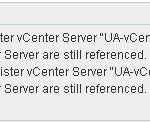
How to detach the vCenter Server from vCloud Director ? Its very simple .If you want to detach the vCenter server completely from vCloud, just remove the Cloud Resources and detach the vCenter server from vCloud director web portal. But sometimes, we may forget to clean up the Cloud resources properly and that will create a problem when […]