
NAKIVO Backup & Replication delivers reliable, fast, and affordable VM data protection for VMware environments.To protect the VM’s on the VMware vSphere environment using NAKIVO, You need to attach the vCenter server to NAKIVO Director.There are two type of components involved in NAKIVO Backup & Replication.1. Transporter 2. Director . Multiple transporters can be controlled by […]
NAKIVO Backup & Replication – Appliance Deployment
NAKIVO Backup & Replication is one of the fast growing backup solution software for VMware vSphere and Cloud environments. NAKIVO’s initial version just provided the backup solution for Amazon cloud .From 2013 , NAKIVO provides the Backup & Replication solutions for VMware vSphere environments and Cloud as well. According to the NAKIVO Reports Q3 2014 Results, it has 4,100+ Customers […]
How to add ISCSI Storage to RHEV ?

To store the virtual machines , you need centralized storage like SAN or NFS file server. Not everyone in world can afford the SAN cost since it requires lot hardwares like fiber channel cables, SFP connectors, SAN switches and Storage. But iSCSI storage can be easily setup using the existing system network with commodity hardware […]
How to create a Datacenter and Cluster on RHEV-M ?

Redhat Provides the wonderful administrative portal to manage the Redhat Enterprise virtualization environment. Redhat enterprise virtualization Manager is responsible to provide the administrative portal, user portal and reports portal. Its also manage the virtual objects and maintains the inventory on its own database. It performs the similar operations like VMware vCenter server or Oracle VM […]
How to enable root user on Redhat Hypervisor ?
Redhat Enterprise virtualization’s core part is Redhat Hypervisor. I have never been worked such a long hours to get/recover the root password on any Unix/Linux operating system. Even i have recovered VMware ESXi’s root password in quick time. During the Redhat Enterprise virtualization hypervisor’s installation, we will be just setting the user “admin” password. But […]
Redhat Enterprise virtualization Manager – Install & configure
To manage the redhat enterprise virtualization hypervisor (RHEV-H) , you have to configure the Redhat Enterprise Virtualization Manager (RHEV-M) on Redhat Enterprise Linux 6.x operating system. RHEV-M provides a feature rich graphical based web interface to manage the virtual infrastructure from single point. It provides host management ,guest management,storage management and high availability infrastructure. We […]
Redhat Enterprise virtualization- Installing RHEV-H
To install Redhat enterprise virtualization hypervisor(RHEV-H), You need a hardware with “virtualization Technology”(VT-X) enabled processors.Once you have such a hardware ,then you can start installing RHEV-H on it. You need to download the bootable “Redhat enterprise virtualization hypervisor” ISO image from Redhat website with valid subscription. If you do not have one , Redhat is providing 60 days […]
Redhat Enterprise Virtualization – Overview
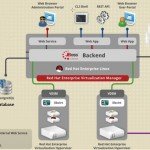
Red Hat had played vital role on Linux revolution and they proved that Linux can be used on the enterprise computing. Today Red Hat is the world’s largest distributor of Linux. To reduce the infrastructure costs , all the companies are behind the virtualization. Companies like VMware,Citrix and Oracle are offerings enterprise virtualization products to accommodate different […]
VMware vCloud Director Build From Scratch – 2
In this article ,we will see the remaining vCloud director’s quick setup which we have left out in the last article.We have already seen that how to attach the vCloud director to VMware vCenter server and creating the provider vDC. Here we will be seeing the external networking part and creating the new organization. once […]
VMware vCloud Director Build From Scratch – 1
In this VMware vCloud Director article series, this article is going to demonstrate that how to attach the vCloud director to VMware vCenter Server and how to create a provider virtual Data-center. vCloud director can’t manage the system resources or virtual resources directly.It requires VMware vCenter server in the back-end to get the required resources […]